


Download Crosshair Zoom – Game Bar Widget, Crosshair Overlay, Zoom for Gamers
Overview
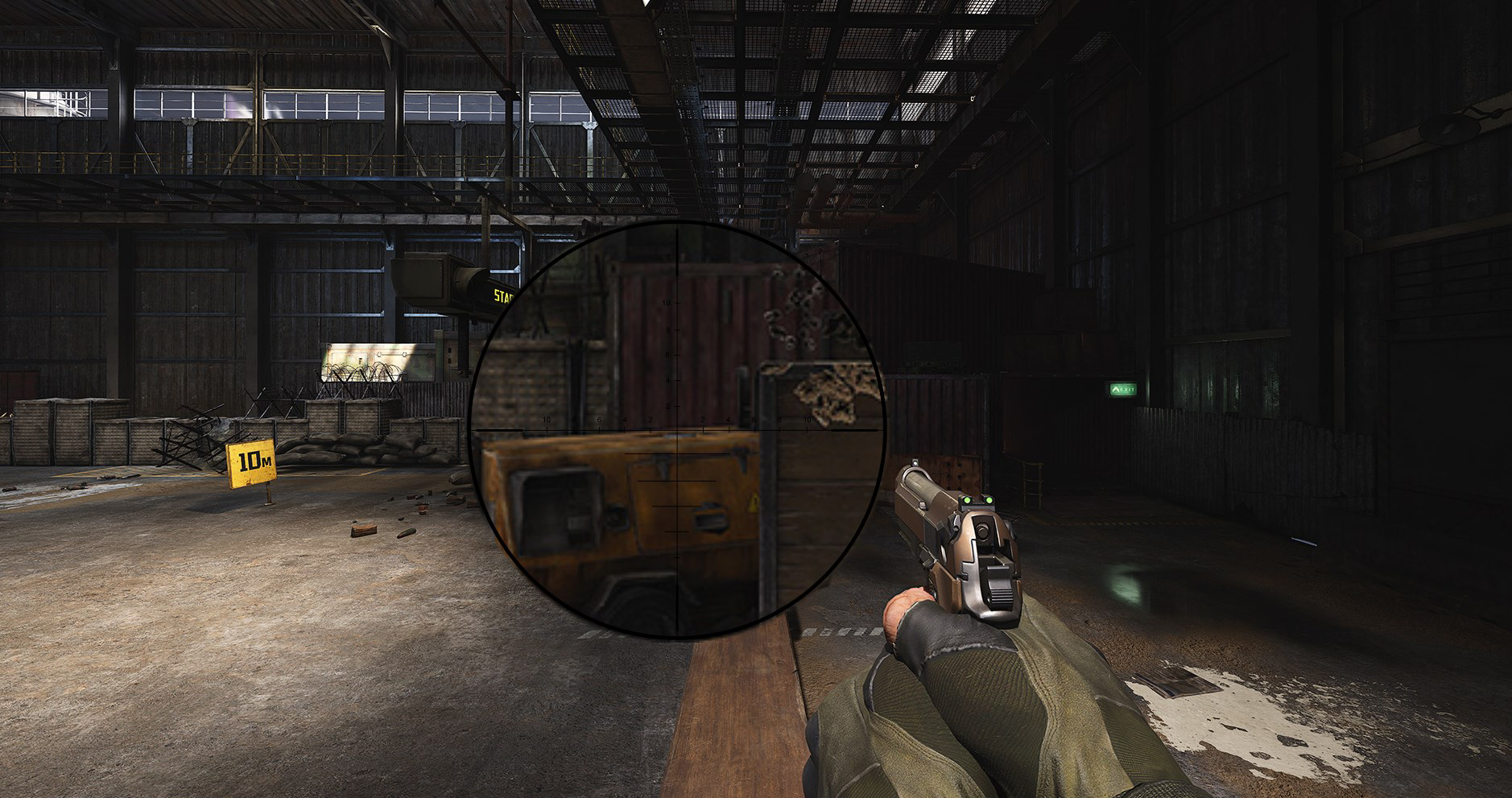
Crosshair Zoom is a specialized utility designed for gamers seeking enhanced aiming precision during gameplay. As a Game Bar widget, it integrates directly into the Windows gaming ecosystem, offering a crosshair overlay with a built-in zoom function. The app is intended to improve targeting accuracy by allowing players to visualize their aim more clearly and magnify their view without relying on in-game mechanics. This functionality is particularly beneficial in fast-paced first-person shooters and competitive gaming scenarios where split-second decisions are critical.
The tool targets PC gamers who prioritize precision and control, especially those using the Windows Game Bar for in-game overlays. It is ideal for users who want to fine-tune their aiming without installing complex third-party software. Real-world applications include competitive matches, training sessions, and long gaming sessions where sustained focus is required. By minimizing visual distractions and enhancing target acquisition, Crosshair Zoom contributes to a more immersive and efficient gaming experience.
Developed by an unnamed entity, the app was released on August 16, 2023. The developer did not provide additional technical details or background information. Despite this, the app’s integration with the native Game Bar suggests a focus on lightweight, system-friendly design. Its presence in the gaming utility space highlights a growing demand for accessible, customizable tools that enhance gameplay without compromising performance.
Key Features & Functionality
- Customizable Crosshair: Users can adjust the crosshair’s size, color, and transparency to match their visual preferences and in-game environments. This ensures optimal visibility during high-intensity sessions, reducing eye strain and improving focus on targets.
- Zoom Functionality: A dedicated zoom feature can be activated via a user-defined hotkey. This allows players to magnify their view instantly, enhancing precision during long-range engagements without switching weapons or accessing in-game menus.
- User-Friendly Interface: The widget’s settings are accessible through the standard Win+G shortcut, enabling quick configuration with minimal disruption. The interface is designed for intuitive navigation, allowing users to tweak settings on the fly during gameplay.
- Pin Widget for Accessibility: Once configured, the widget can be pinned to the screen, ensuring it remains visible throughout gameplay. This persistent presence supports continuous monitoring and quick adjustments without interrupting the flow of action.
- Multi-Game Compatibility: Crosshair Zoom is designed to work across a wide range of games, including first-person shooters and other genres that benefit from precise aiming. Its compatibility with the Game Bar ensures broad usability without requiring game-specific integrations.
For example, a player in a competitive match can use the zoom function to confirm a headshot before firing, reducing errors. Similarly, a streamer may use a transparent, colored crosshair to maintain visibility for viewers while improving their own accuracy.
Interface, UX & Performance
The interface of Crosshair Zoom is built around simplicity and accessibility. As a Game Bar widget, it inherits the clean, minimal design of Windows’ native overlay system. The layout is unobtrusive, with essential controls grouped logically for quick access. Users can adjust crosshair settings, assign hotkeys, and enable the zoom function through a straightforward menu that appears when the Game Bar is activated.
Navigating the settings is intuitive, requiring only a few clicks to customize appearance and behavior. The responsiveness of the interface is consistent with the performance of the Game Bar, ensuring that changes take effect immediately without lag. Although the developer did not list formal performance metrics, the app’s lightweight nature suggests minimal impact on system resources.
Performance is expected to remain stable across various device categories, including mid-range and high-end PCs. The app operates without requiring dedicated drivers or background processes, reducing the risk of crashes or conflicts. Users should experience smooth operation during gameplay, with no noticeable frame drops or input delays. The widget’s stability is further supported by its integration with a well-established platform—Windows Game Bar.
Platform Compatibility & Technical Requirements
Crosshair Zoom is available for Windows, designed to function within the Windows operating system. The app is compatible with the Windows Game Bar, which supports a wide range of modern Windows versions. However, specific OS requirements were not listed by the developer.
The file size of the app is not disclosed in the provided information. The latest version was released on August 16, 2023. Users should ensure their system meets the general requirements for running the Game Bar, which typically include Windows 10 or later. Compatibility with older versions or specific hardware configurations was not fully disclosed.
Pros and Cons
Pros
- Seamless integration with Windows Game Bar for easy access
- Customizable crosshair appearance for personalized gameplay
- Quick zoom functionality via user-defined hotkey
- Persistent widget with pin option for uninterrupted use
- Compatible with multiple games without requiring game-specific setup
Cons
- Developer did not provide detailed system requirements
- Platform availability limited to Windows only
- No official mobile or iOS version currently available
- Customization options may be limited compared to third-party tools
- Requires use of the Game Bar, which may not be enabled by default
FAQ
Is Crosshair Zoom safe to use?
Yes, Crosshair Zoom operates as a lightweight Game Bar widget and does not require administrative privileges or system-level access. It is designed to function within the secure environment of the Windows Game Bar.
Can I use Crosshair Zoom on mobile devices?
Currently, the app is only available for Windows. There is no official Android or iOS version. Users seeking similar functionality on mobile should explore alternative tools compatible with their device.
How do I install Crosshair Zoom?
Install the app through the official Windows Store or the developer’s website. Once installed, access it via the Win+G shortcut to open the Game Bar and enable the widget.
Does Crosshair Zoom affect game performance?
As a lightweight overlay tool, Crosshair Zoom is designed to have minimal impact on system performance. It runs in the background without consuming significant CPU or GPU resources.
Can I customize the zoom level?
Yes, users can assign a hotkey to activate the zoom function. While specific zoom intensity settings were not detailed, the feature allows for instant magnification during gameplay.
Final Thoughts
Crosshair Zoom delivers a focused, efficient solution for PC gamers aiming to improve their precision. Its integration with the Windows Game Bar ensures a seamless experience, while customizable crosshair and instant zoom functionality offer tangible benefits in competitive and casual play alike. The app is particularly valuable for users who prefer lightweight, non-intrusive tools that enhance gameplay without complexity.
While its availability is limited to Windows and specific customization options remain undefined, the app’s core features address real pain points in aiming accuracy. For gamers seeking a reliable, easy-to-use overlay tool, Crosshair Zoom represents a practical upgrade to their gaming setup.
Download Crosshair Zoom now


